Have Additional Questions? Contact Us: info(at)aviadiag.com

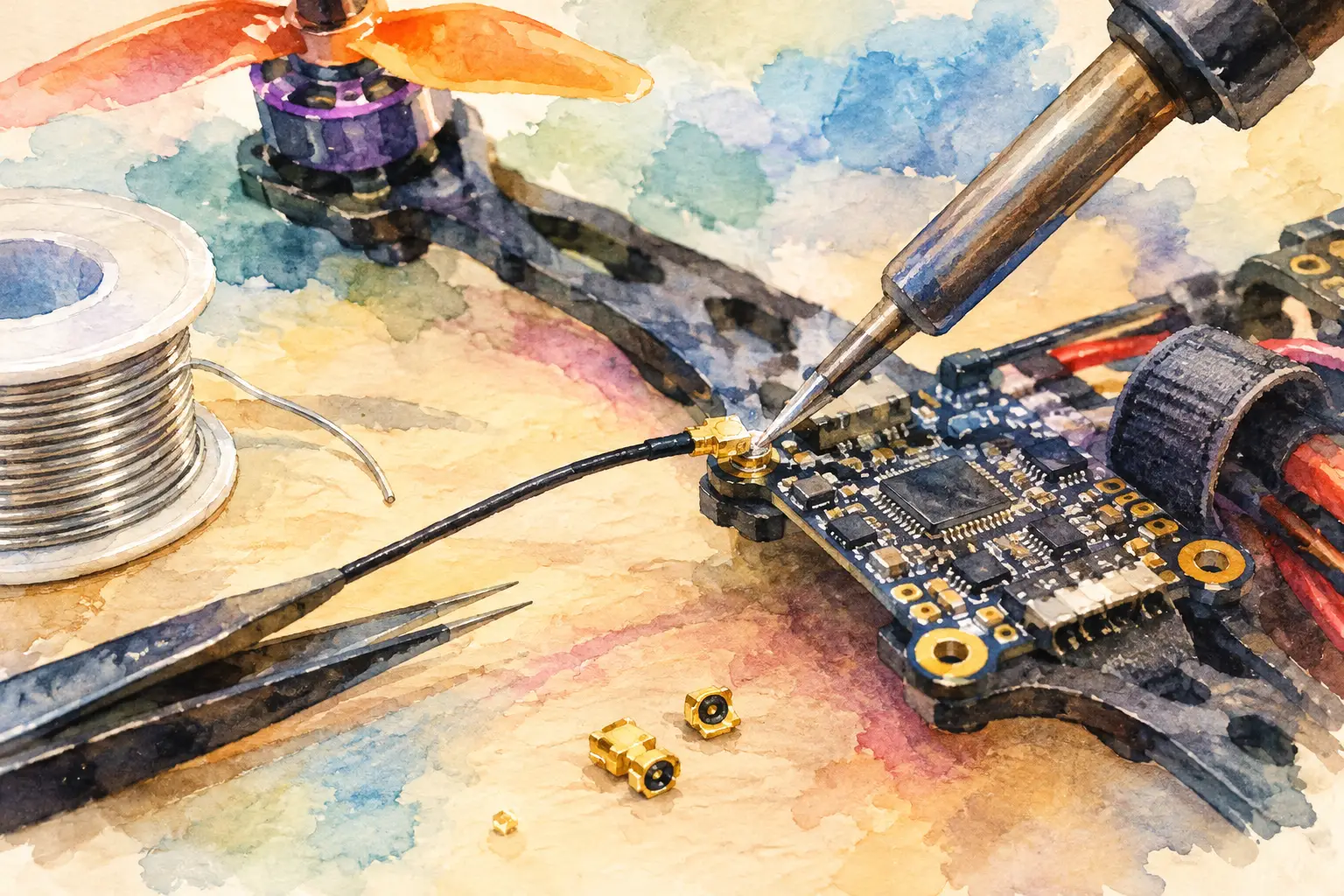
A torn U.FL antenna socket can take an otherwise capable FPV video transmitter out of the air. The repair is small, precise and unforgiving: too much heat can lift a pad, melt the connector dielectric or detach nearby components. Knowing how to solder UFL connectors correctly lets you restore a clean RF path rather than replacing an entire VTX or receiver.
First, clarify what has failed. Standard U.FL cable plugs are normally crimped, not soldered. The tiny plug on the end of an antenna lead is designed to snap onto a board-mounted U.FL receptacle. If the plug, coax or strain relief has failed, replacing the lead is usually the right move. Soldering applies primarily to the board-mounted receptacle, its pads, or a carefully planned coaxial repair where no correct replacement lead is available.
Understand the U.FL connection before applying heat
A board-mounted U.FL receptacle has a centre contact for the RF signal and multiple outer tabs connected to ground. On most FPV boards, the centre pad carries the high-frequency signal while the ground tabs provide mechanical strength and RF shielding. Both jobs matter.
A connector can look secure yet perform poorly if the centre pin is not properly bonded or if a ground tab has lifted. At 5.8 GHz and above, poor geometry, excess exposed conductor and a weak ground return can create loss, reflections and unstable video performance. This is why a neat repair is more than cosmetics.
Inspect the board under magnification before deciding on a repair. If only the connector has detached and the copper pads remain intact, a replacement socket is realistic. If the centre pad or its trace is gone, the job becomes a micro-repair. You may need to expose the remaining trace, bridge it with fine insulated wire, or retire the board if the RF path cannot be restored cleanly.
Tools for soldering U.FL connectors
The right setup gives you control. A broad iron tip and plumbing-grade solder will turn this into a pad-lifting exercise. Use a temperature-controlled soldering iron with a very fine conical or hoof tip, quality flux, thin solder and strong magnification. A microscope is ideal; a head-mounted magnifier is the minimum for confident work.
You will also want fine tweezers, solder wick, isopropyl alcohol, lint-free swabs and Kapton tape. Hot air can help remove a damaged socket, but use it carefully. Airflow that is too strong can move small capacitors and resistors around the antenna circuit.
For most compact FPV boards, leaded 63/37 solder is easier to control than lead-free solder during a repair. It melts at a lower temperature and moves quickly once fluxed, reducing the time heat sits on the board. If you are working on equipment that must remain lead-free, use appropriate solder but expect a narrower working window.
Set the iron to a practical starting point, usually around 320-350°C for leaded solder. The exact temperature depends on your tip, solder, board copper and thermal mass. A high temperature is not automatically faster. The goal is rapid heat transfer at the joint, not prolonged contact with a hot tip.
How to solder UFL connectors onto a board
Remove the failed socket cleanly
Add flux to the existing joints first. Fresh solder can be added to the ground tabs to improve heat transfer, especially where the original lead-free solder is stubborn. With hot air, heat the connector evenly until it releases with almost no force. With an iron, work the ground tabs methodically and avoid levering the connector upward.
Do not pull a socket free while solder is solid. That is how pads disappear. If a connector will not lift, stop, re-flux and reassess your heat delivery. A little more patience is cheaper than rebuilding an RF trace.
Once removed, clean each pad with solder wick and flux. The finished pads should be flat, clean and lightly tinned, not covered in solder blobs. Wipe away flux residue with isopropyl alcohol so you can clearly inspect the copper condition.
Position and anchor the replacement
Use the exact footprint and height for the original connector. U.FL-compatible parts may look similar while having different tab layouts or centre-contact geometry. An incorrect socket can fit badly, prevent the antenna lead from seating, or compromise clearance under a frame plate.
Place the new receptacle with tweezers under magnification. Check its orientation against the original and make sure the centre contact sits directly over its signal pad. Tack one ground tab with a tiny amount of solder. Re-check alignment before soldering the remaining tabs.
This ground-first method prevents the connector from skating across the board when you address the centre terminal. It also gives the socket mechanical stability, which is vital when repeatedly attaching an antenna lead in the field.
Solder the centre contact with minimal dwell
Apply flux to the centre pad and touch the joint briefly with the iron. Use very little solder. The joint should wet the pad and centre contact without creating a ball that reaches toward the grounded shell.
The centre pin is where most accidental shorts occur. Inspect it from more than one angle. If solder has bridged to the connector body, remove it with flux and clean wick, then repeat with less solder and a shorter contact time.
Finish the remaining ground tabs. These connections often need slightly more heat because they are tied to the ground plane, but avoid holding the tip in place for several seconds. Let the board cool between attempts if a joint is resisting. Repeated heating can soften adhesive beneath the copper and lift pads even when the soldering technique looks careful.
Repairing a damaged pad or coax lead
A lifted ground pad is sometimes recoverable because the connector has multiple grounded tabs. Provided nearby ground copper is available, a small solder bridge or short wire to ground may restore both strength and electrical continuity. Keep the repair low-profile so the antenna plug can still engage fully.
A missing centre pad is more serious. Find the remaining RF trace with magnification and continuity testing, then carefully expose only enough copper to make a connection. Use fine enamelled wire or micro-coax centre conductor to bridge from the connector centre contact to the trace. Keep this link as short as possible and avoid long, unsupported wire loops.
For a torn antenna lead, do not treat the inner conductor like ordinary signal wire. Coax depends on the relationship between the centre conductor and its surrounding shield. A long exposed centre conductor, loose braid or poorly grounded shield can weaken the link. In most cases, a pre-made U.FL pigtail is the stronger repair choice.
If a direct coax repair is unavoidable, strip the cable with extreme care, tin the centre conductor lightly and solder it to the RF point with the shortest practical exposed length. Bond the braid to ground close to that point. Add strain relief only after electrical testing, and keep adhesive away from the connector mating face.
Inspect and test before flight
Clean the board, then inspect every joint under magnification. Look for solder bridges, shifted components, lifted copper and connectors that sit tilted or loose. Check continuity from the connector shell to ground. Check that the centre contact is not shorted to ground.
Fit the antenna lead by pressing straight down on the plug. Do not pry it sideways with tweezers or pull the cable to remove it. U.FL connectors have limited mating-cycle life, and side loading is a common reason the board socket tears away.
Power the VTX only with a suitable antenna connected. Confirm that the connector stays cool, the video link remains stable and output performance is consistent at the intended operating power. If you have access to RF test equipment, compare output and reflected power against a known-good setup. Without it, a controlled bench test at low power followed by a short-range flight check is sensible.
Build for fewer connector failures
The most reliable repair is the one you do not need to repeat. Route antenna coax with enough slack for vibration and frame movement, but not so much that the cable can snag a prop or arm. Secure the coax to the frame near the VTX so impacts do not transfer directly into the U.FL socket.
For high-vibration builds, consider whether an MMCX-equipped VTX or a U.FL-to-SMA pigtail mounted to the frame better suits the aircraft. U.FL saves space and weight, while larger connector systems generally tolerate repeated antenna changes and physical handling better. The right choice depends on your build target, antenna placement and access requirements.
A clean U.FL repair can put a specialised FPV component back into service and protect the video link your flight depends on. Work slowly, use flux generously, and let the connector geometry guide every decision: the shortest, cleanest RF path is usually the one that flies best.